GitHub Gist (gh gist) Cheat Sheet 📝
Share code snippets, notes, and files instantly
Share code snippets, notes, and files instantly
brew install gh  # macOS
winget install GitHub.cli  # Windows
sudo apt install gh # Linuxgh auth logingh auth statusgist scope enabled for gist operations.
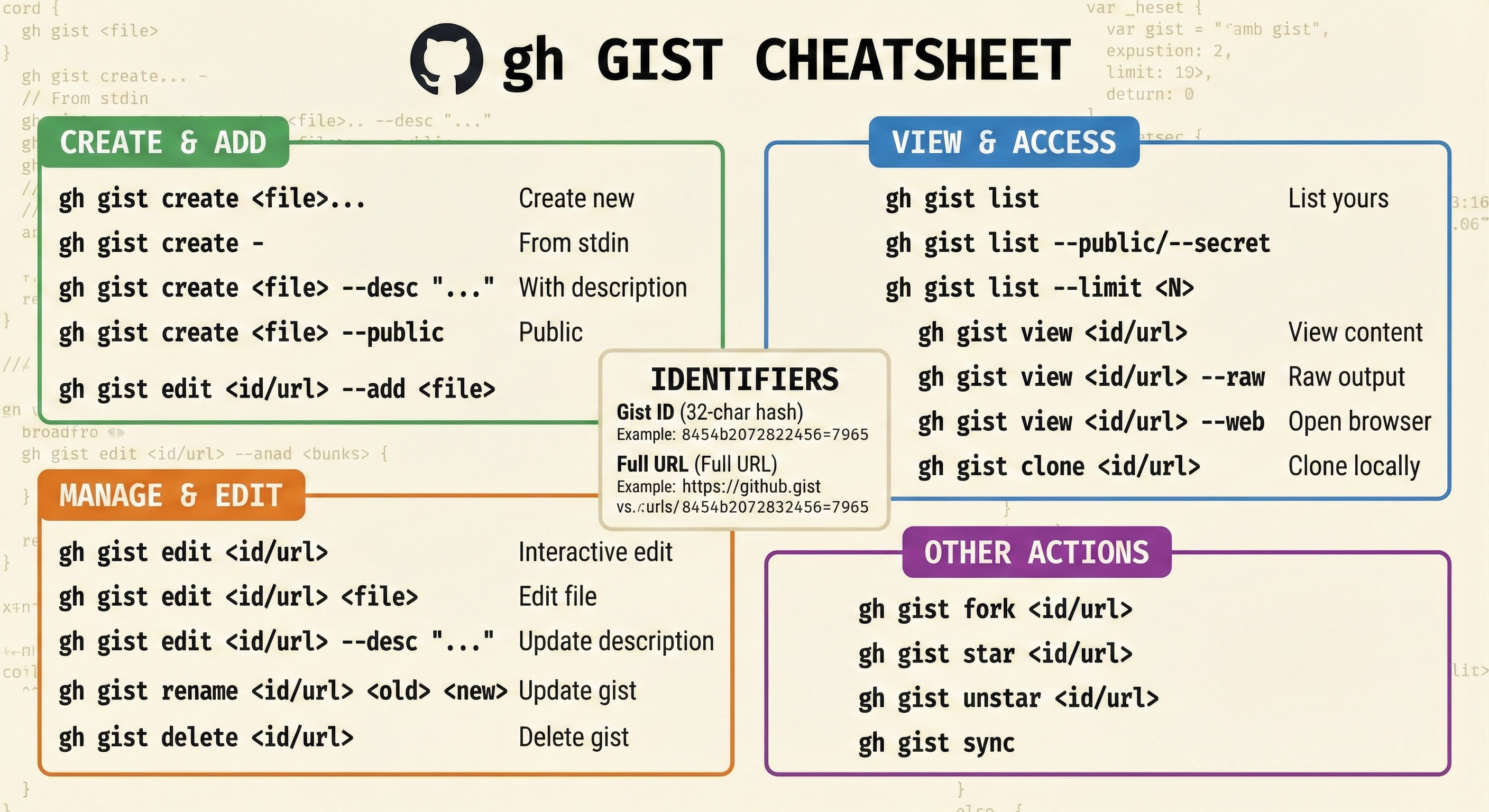
gh gist create script.pygh gist create file1.py file2.js file3.mdecho "Hello World" | gh gist creategh gist create script.py --publicgh gist create script.py -d "My awesome script"cat data.txt | gh gist create -f "output.txt"gh gist create script.py --webgh gist listgh gist list --publicgh gist list --secretgh gist list --limit 10gh gist view GIST_IDgh gist view GIST_ID -f filename.pygh gist view GIST_ID --webgh gist view GIST_ID --rawgh gist edit GIST_IDgh gist edit GIST_ID -f script.pygh gist edit GIST_ID --add newfile.pygh gist edit GIST_ID --remove oldfile.pygh gist edit GIST_ID -d "New description"gh config set editor "code --wait"
gh gist clone GIST_IDgh gist clone GIST_ID my-foldergh gist view GIST_ID --raw > file.pygh gist delete GIST_IDgh gist delete GIST_ID --yeshttps://gist.github.com/USER/GIST_IDhttps://gist.github.com/GIST_IDhttps://gist.githubusercontent.com/USER/GIST_ID/raw/FILEgh gist view https://gist.github.com/user/abc123
gh gist view abc123gh gist create .bashrc -d "My bash config"gh gist create problem.py --public -d "Need help!"gh gist create .vimrc .zshrc .gitconfigpython script.py | gh gist create -f output.txtecho "TODO: Fix bug" | gh gist create -f notes.mdcat error.log | gh gist create -d "Error log"| Command | Description | Key Flags |
|---|---|---|
gh gist create |
Create a new gist | -d, --desc, -f, --filename, -p, --public, -w, --web |
gh gist list |
List your gists | --public, --secret, -L, --limit |
gh gist view |
View gist contents | -f, --filename, -r, --raw, -w, --web |
gh gist edit |
Edit a gist | -a, --add, -d, --desc, -f, --filename, -r, --remove |
gh gist clone |
Clone gist locally | [directory] |
gh gist delete |
Delete a gist | --yes |
gh gist rename |
Rename file in gist | [old] [new] |
gh gist list --json id,description,publicgh gist list --json id --jq '.[].id'gh gist list --template '{{.ID}}: {{.Description}}'gh gist view GIST_ID -r | pbcopygh gist edit GIST_ID < updated.py<script src="https://gist.github.com/USER/ID.js"></script><script src="https://gist.github.com/USER/ID.js?file=name.py"></script>{% gist USER/GIST_ID %}--public flag to create