Home / Blog / AI Models

Five generation modes & nine diagram styles, end-to-end on a single GPU

A capability tour of HiDream-O1-Image — what the open 8B model does well, where it falls over, and the empirically-tuned recipes that actually produce usable output. Every image below was generated locally on an RTX 4090.

About HiDream-O1-Image

HiDream-O1-Image is an 8B-parameter image-generation model released in May 2026 by HiDream-ai. Architecturally it is a Pixel-level Unified Transformer (UiT): instead of stacking a separate text encoder, VAE, and denoiser the way diffusion models like FLUX or SD3 do, it encodes raw pixels, text, and task-specific conditions in a single shared token space. One end-to-end model handles five generation modes natively — text-to-image, instruction editing, subject-driven personalization, bbox-layout conditioning, and skeleton/openpose conditioning — at resolutions up to 2048×2048.

The open weights ship in two variants:

VariantStepsCFGShiftSchedulerVRAMUse for
Full 505.03.0FlowUniPC ~17–20 GB Editing, IP/personalization, layout, skeleton, highest-quality T2I
Dev (distilled) 280.01.0FlashFlowMatchEuler ~17–20 GB General T2I — about 2× faster than Full

The Artificial Analysis text-to-image leaderboard ranks a HiDream-O1 entry (“Peanut”) at #8 — but that entry is the unreleased 200B+ Pro variant. The open 8B is what we work with here. It does not match the Pro’s photorealism or its identity preservation in IP mode, but for free local generation on a single consumer GPU it’s remarkable.

What it’s good at: photographic compositions, long-text rendering, multi-region layout, infographic and architecture-diagram aesthetics, editorial portraits, instruction-based editing with identity preservation.

Where it struggles: dense short technical labels (>6 elements at high resolution), sequence-diagram arrows, period-faithful photo restoration, identity preservation when the prompt and reference image disagree on physical traits.

Install on RTX 4090

Target hardware: NVIDIA RTX 4090 (24 GB VRAM), Linux (Ubuntu/Pop!_OS), CUDA 12.8 or newer driver. Python 3.12 in a dedicated venv. Disk: ~7 GB for the venv + ~35 GB for both BF16 model weights.

1. Clone the upstream repo

git clone https://github.com/HiDream-ai/HiDream-O1-Image.git
cd HiDream-O1-Image

2. Create a dedicated Python 3.12 venv

python3.12 -m venv venv
source venv/bin/activate
pip install --upgrade pip

3. Install torch (pin to <2.9)

PyTorch 2.9.x has a Qwen3-VL regression (QwenLM/Qwen3-VL#1811) that the upstream README explicitly warns about. Pin below 2.9:

pip install "torch<2.9" --index-url https://download.pytorch.org/whl/cu128

4. Install the upstream requirements

pip install -r requirements.txt
pip install "huggingface-hub>=0.24" safetensors accelerate

5. (Optional) flash-attn

Flash attention is preferred but optional. On CUDA 13 hosts it often fails to build; the pipeline falls back to standard attention with a small (~15%) speed penalty.

pip install flash-attn --no-build-isolation \
  || sed -i 's/"use_flash_attn": True/"use_flash_attn": False/' models/pipeline.py

6. Download BF16 weights

Use drbaph’s republished BF16 weights — about 17.6 GB per variant. Pick a cache root with plenty of free space (the model is too big for a home directory on most laptops):

export HF_HOME=/big/disk/hugging_face_cache
huggingface-cli download drbaph/HiDream-O1-Image-Dev-BF16
huggingface-cli download drbaph/HiDream-O1-Image-BF16
Do not use the FP8 variants (drbaph/HiDream-O1-Image-FP8 / -Dev-FP8). They’re packaged for the Saganaki22 ComfyUI custom node, which dequantizes Float8_e4m3fn to BFloat16 at runtime. The upstream pipeline does no such dequant and crashes inside torch.where with “Promotion for Float8 Types is not supported, attempted to promote BFloat16 and Float8_e4m3fn”.

7. Verify CUDA

python -c "import torch; assert torch.cuda.is_available(); print(torch.cuda.get_device_name(0))"

8. Run inference

The upstream inference.py is an argparse wrapper around models.pipeline.generate_image(). You can use it directly:

python inference.py \
  --model_path /big/disk/hugging_face_cache/hub/models--drbaph--HiDream-O1-Image-Dev-BF16/snapshots/<rev>/ \
  --model_type dev \
  --prompt "a photo of a cat on a wooden floor" \
  --output_image cat.png

For editing or IP generation, swap --model_type full and pass --ref_images path1 path2 .... The upstream README lists complete examples for all five modes.

Text-to-image (T2I)

Text-to-image is the default mode. A prompt goes in, a 2048×2048 (or aspect-bucket-snapped) image comes out. HiDream-O1 is unusually good at photographic scenes and long-text rendering compared to other 8B-class models. Use the Dev variant for general T2I — it’s about 2× faster than Full and produces high-quality results at 28 inference steps.

Editorial sunrise desk photograph

dev aspect="3:2" size="M" seed=7777

Input(s)
No input — pure text-to-image
Prompt

An editorial photograph of a wooden writing desk at sunrise, soft steam curling up from a hand-thrown ceramic mug of coffee, an open leather-bound notebook with handwritten cursive lines, a brass fountain pen resting on the page, warm window light from camera-left, shallow depth of field. Shot on a Sony A7R IV with a 50mm f/1.4 GM lens at f/2.8, ISO 100.

Output
01_t2i.png
01_t2i.png

Instruction-based editing

Edit mode takes a source image plus a text instruction and produces a modified version. Identity, composition, lighting, and unaffected regions are preserved; only the instruction-specified change is applied. The upstream README recommends the Full variant for editing, and that’s our default. Pair edit mode with --keep-original-aspect so the model uses the input’s exact dimensions instead of snapping to a fixed bucket.

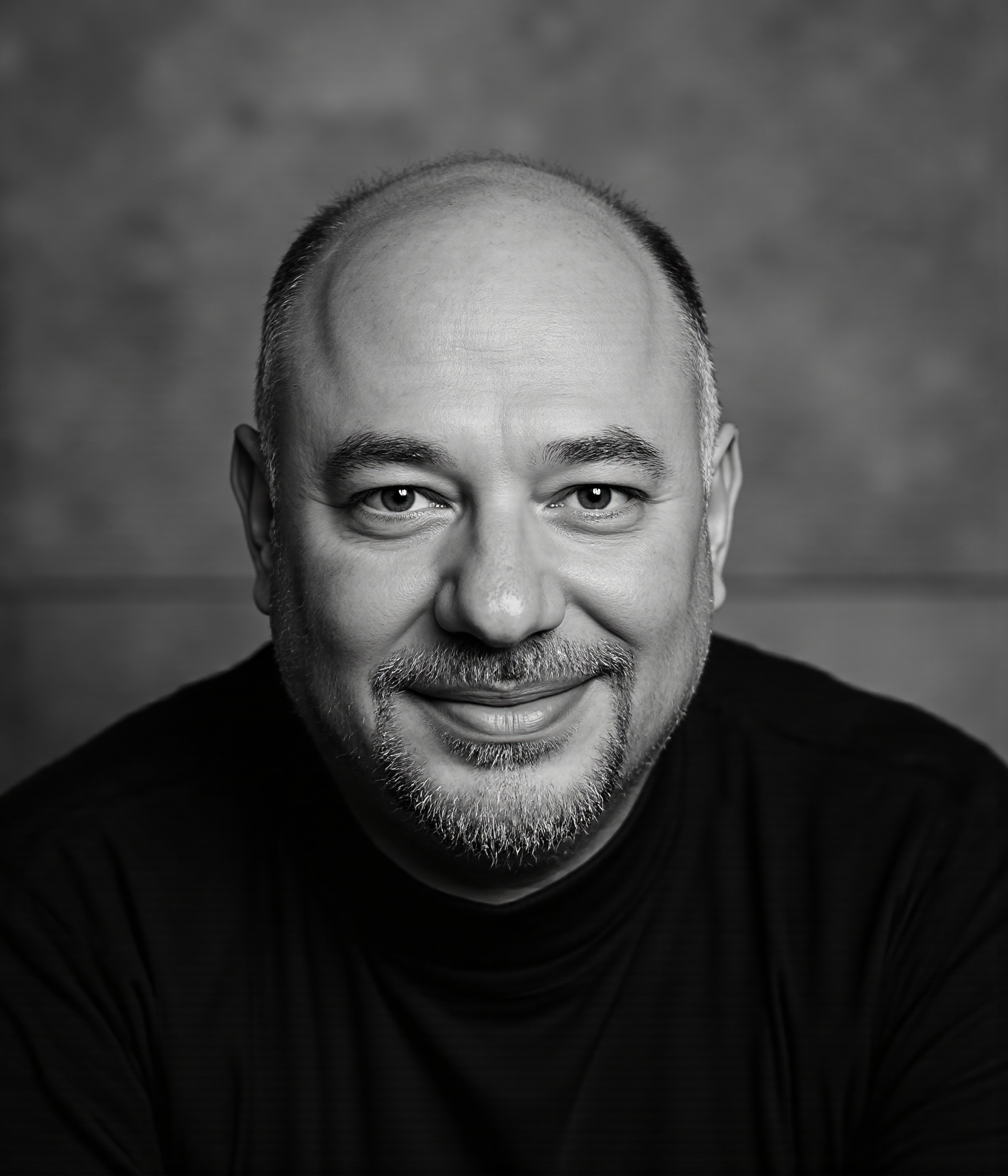
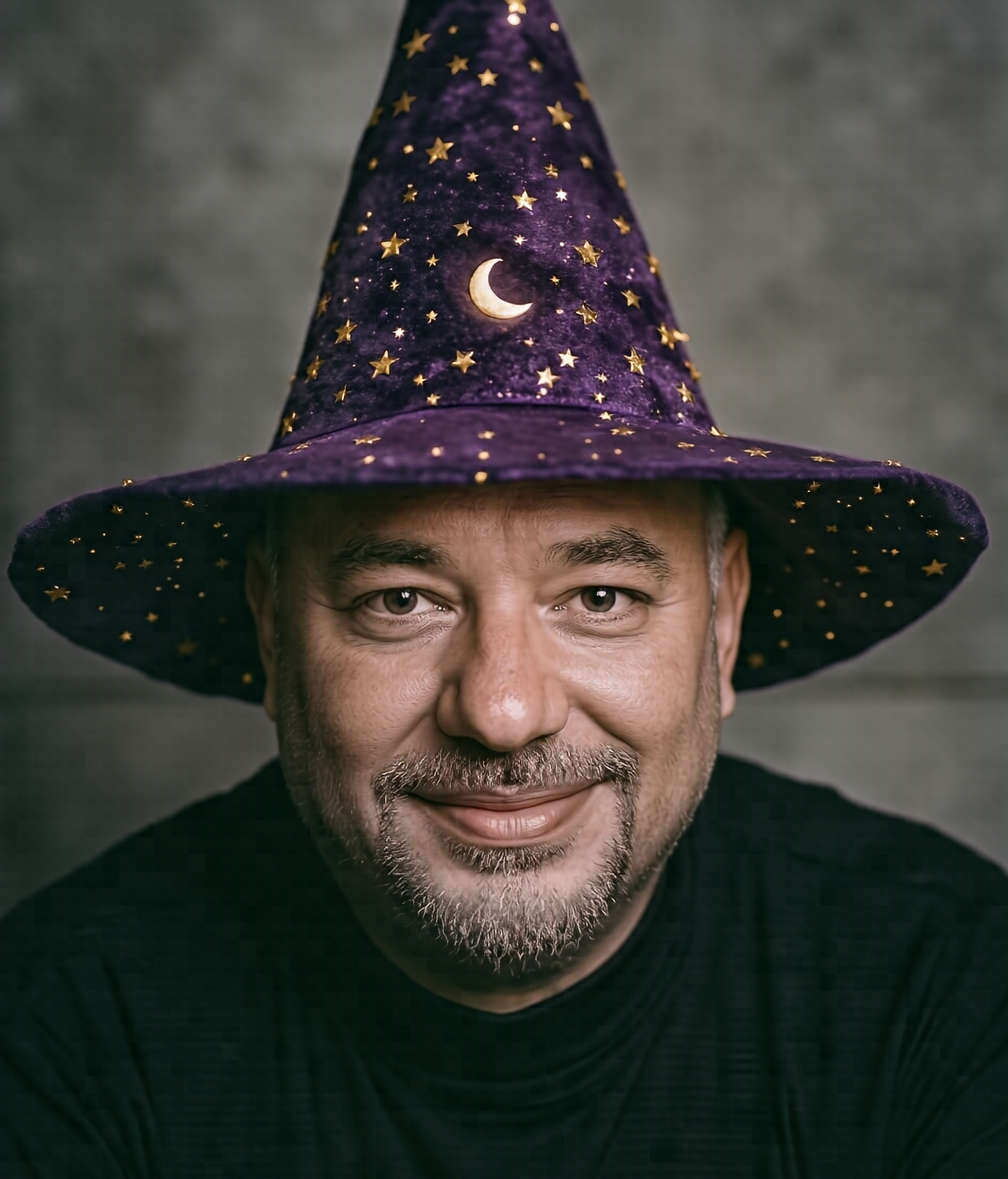
Add a wizard hat to a portrait

full keep_original_aspect=true seed=7777

Input(s)
omar.png
omar.png
Prompt

Make him wear a pointed dark-purple wizard hat covered in small golden stars and a tiny moon crescent on the front. The rest of the photograph remains exactly the same: same face, same expression, same clothing, same background lighting.

Output
02_edit.png
02_edit.png

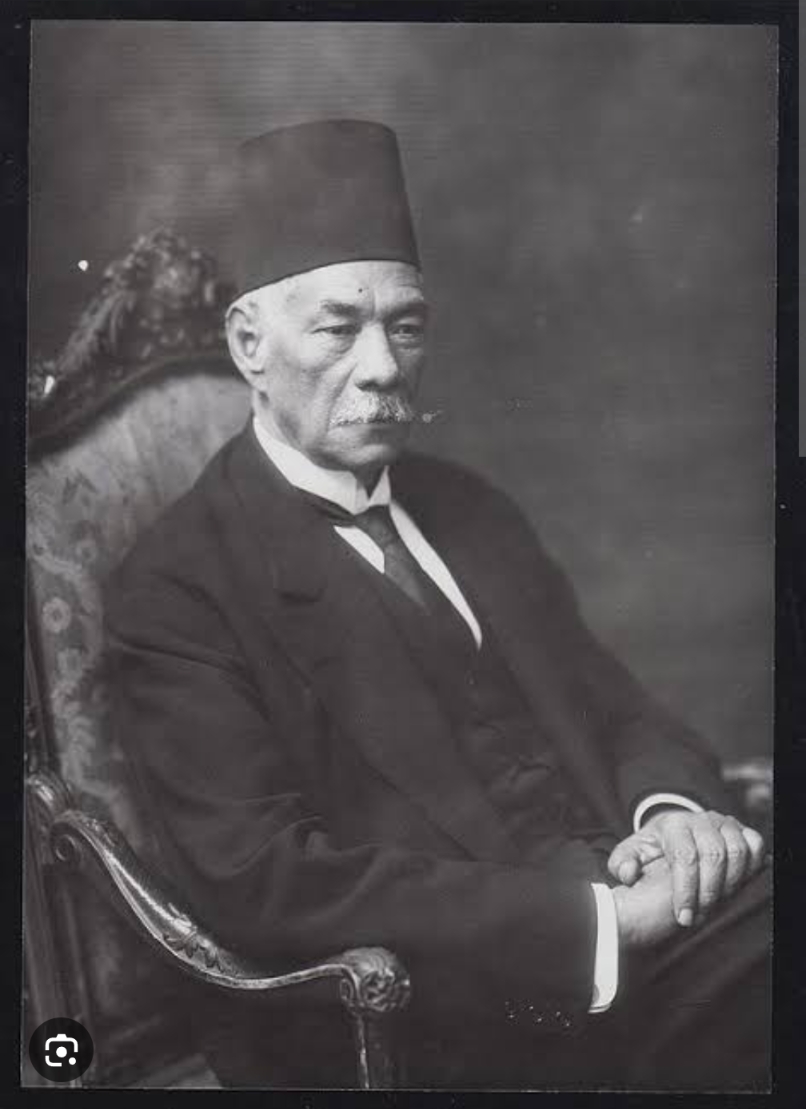
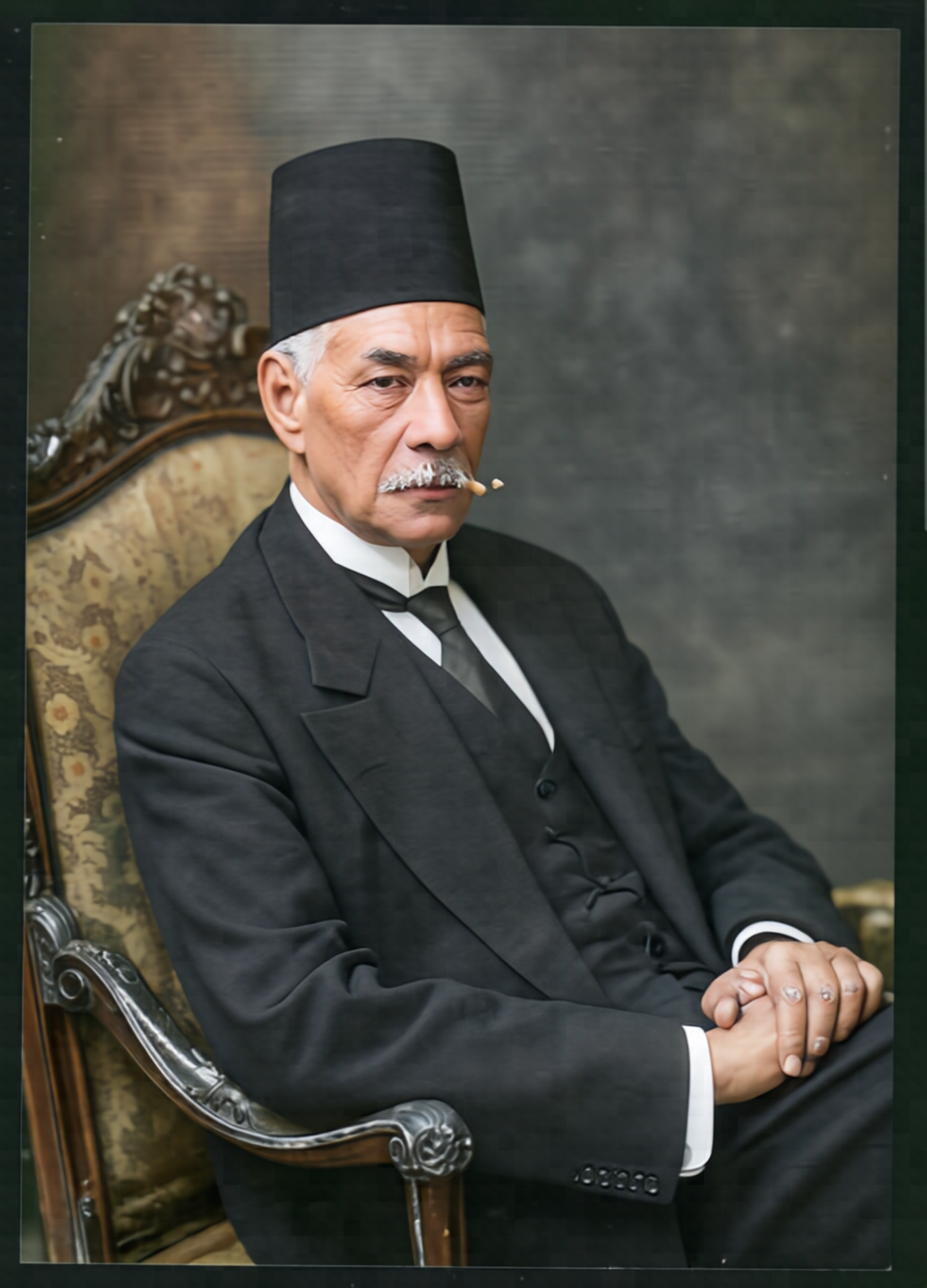
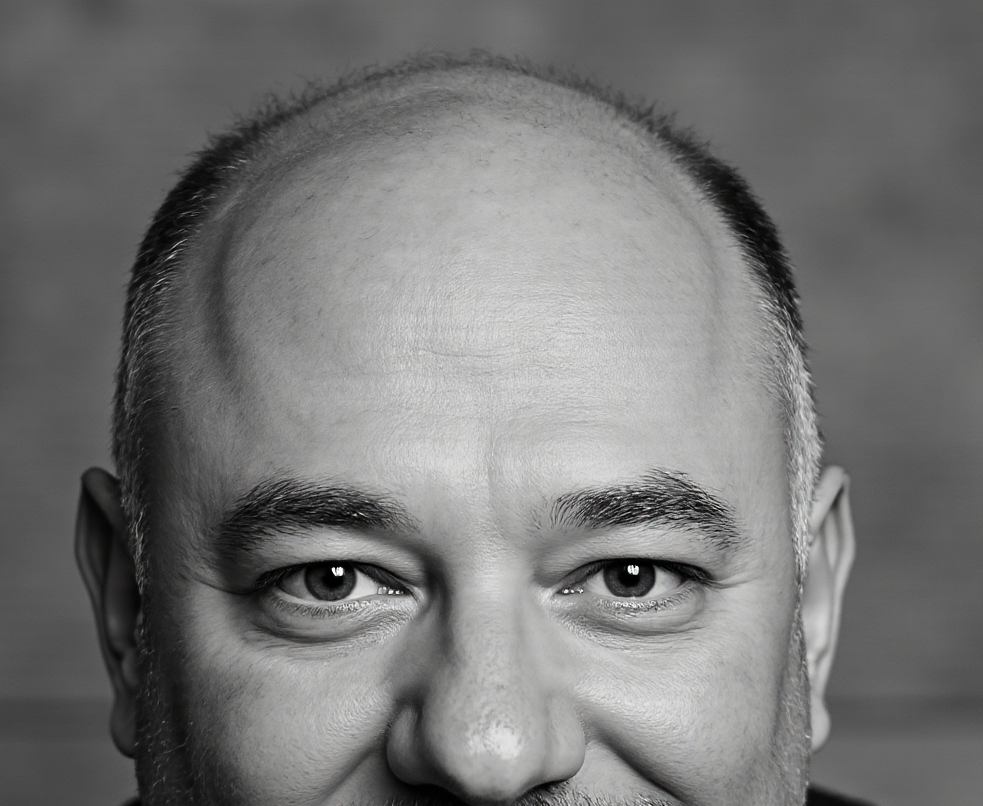
Restore a black-and-white studio portrait (Saad)

full keep_original_aspect=true seed=7777

Input(s)
saad.jpeg
saad.jpeg
Prompt

restore the photo, remove scratches, make it look like a modern from 2025 photo. Keep the face characteristic the same

Output
09_edit.png
09_edit.png

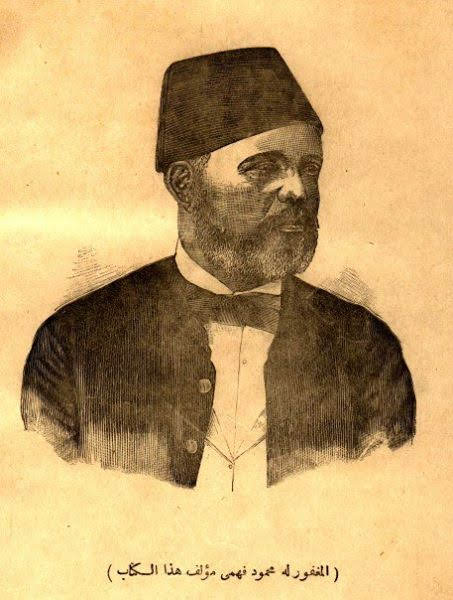
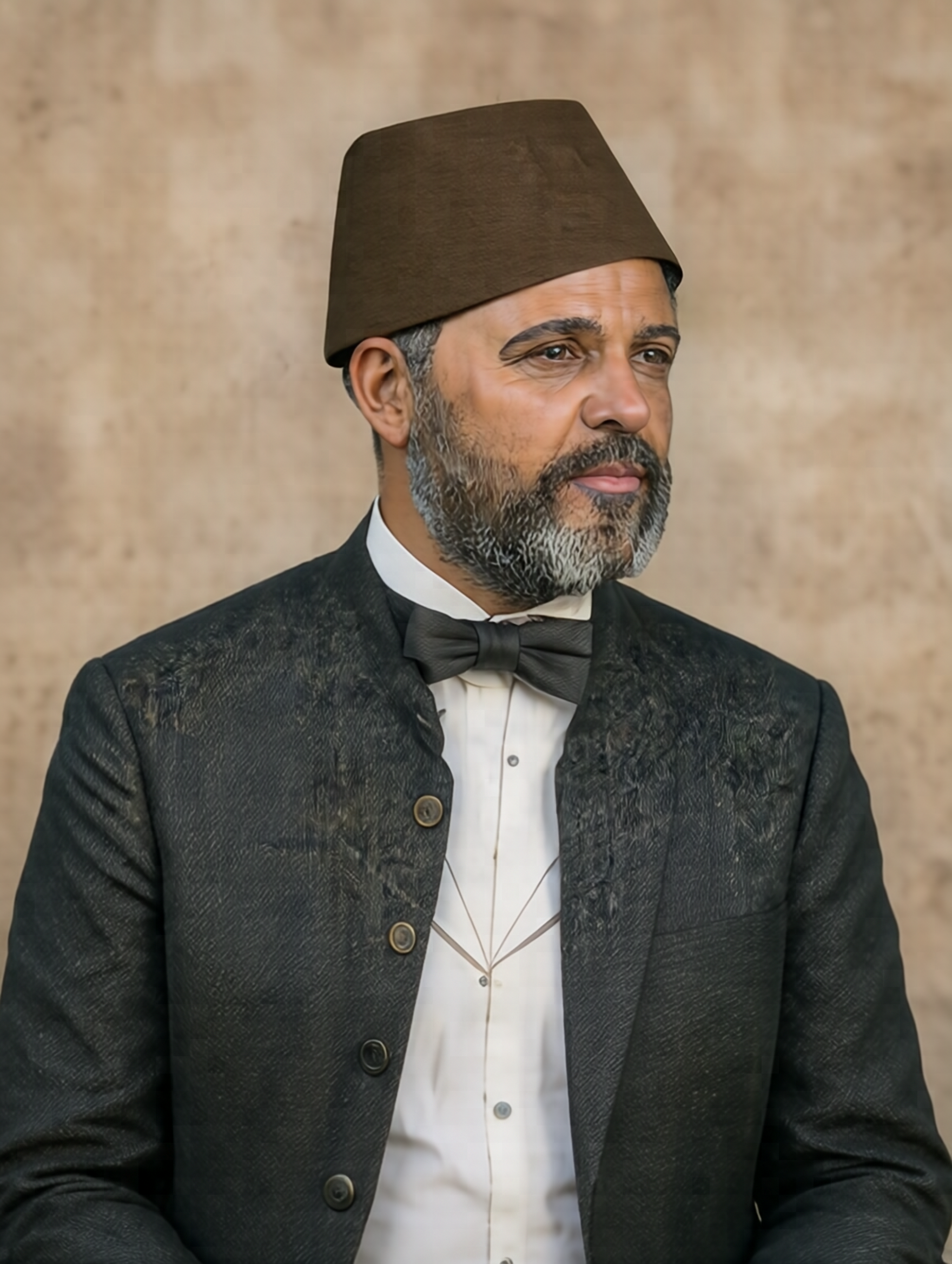
Restore a 19th-century engraving (Fahmy)

full keep_original_aspect=true seed=7777

Input(s)
fahmy.jpg
fahmy.jpg
Prompt

restore the photo, remove scratches, make it look like a modern from 2025 photo. Keep the face characteristic the same

Output
10_edit.png
10_edit.png

Subject-driven personalization (IP reference)

Subject-driven personalization — also called IP reference — places a known subject into a new scene. The model takes one or more reference images plus a prompt describing the new context. Two design rules apply: (1) the model was trained on multi-reference inputs (the README’s example uses ten), so passing two genuinely different views (e.g. face crop + full body) outperforms a single image or duplicated copies; (2) when the prompt and reference disagree on physical traits (hair, beard color, age), the model follows the prompt. Drop conflicting descriptors and the reference dominates.

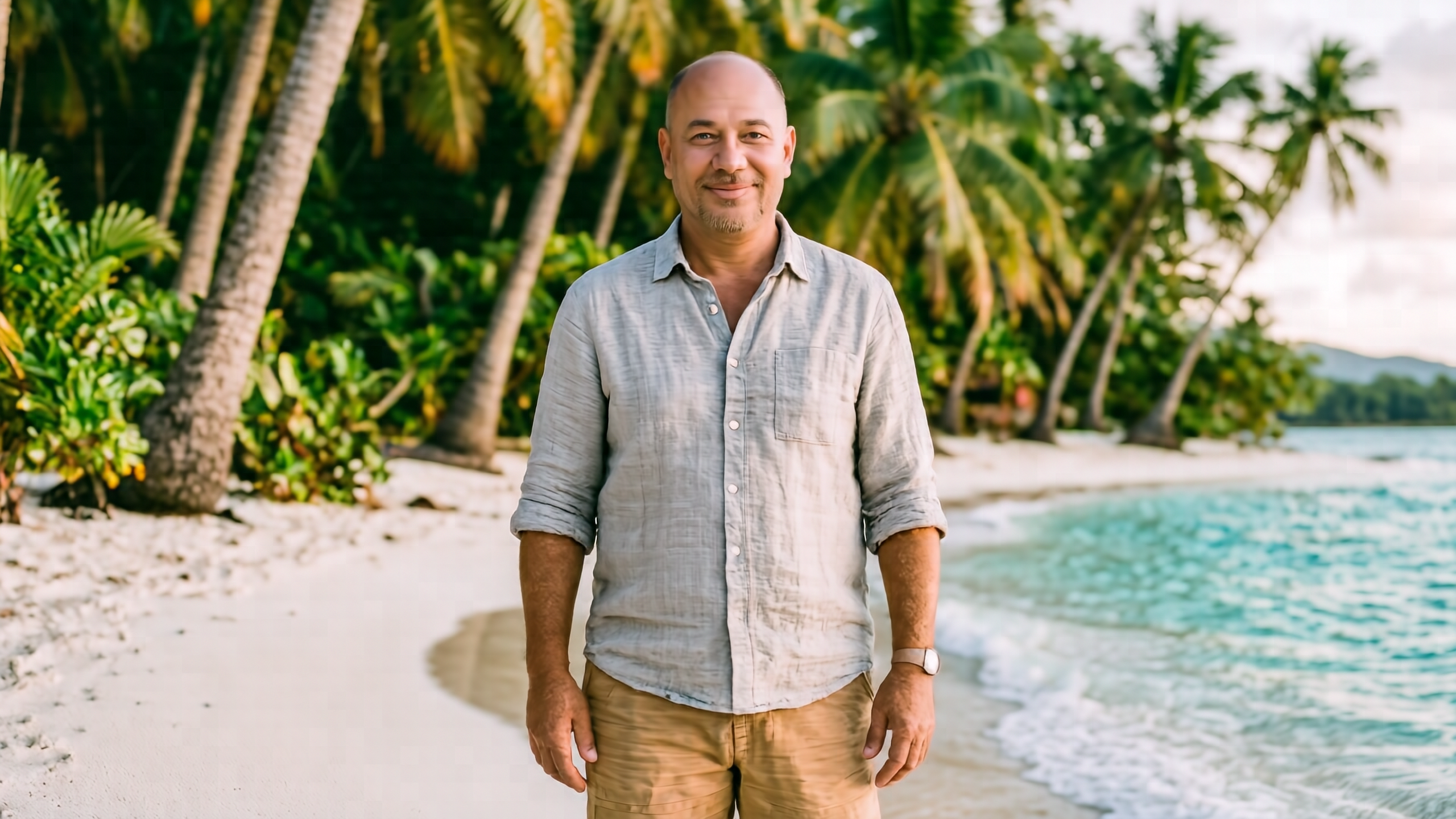
Place the subject on a tropical beach

full aspect="16:9" size="M" seed=7777 shift=1.0 cfg=3.5

Input(s)
omar.png
omar.png
omar_face.png
omar_face.png
Prompt

The man stands on a tropical beach. He wears a relaxed light-grey linen shirt and tan shorts. Tall palm trees rise behind him, turquoise water laps a white-sand shore, soft warm late-afternoon sunlight illuminates the scene. He smiles softly toward the camera. Natural light, natural skin tone.

Output
03_ip.png
03_ip.png

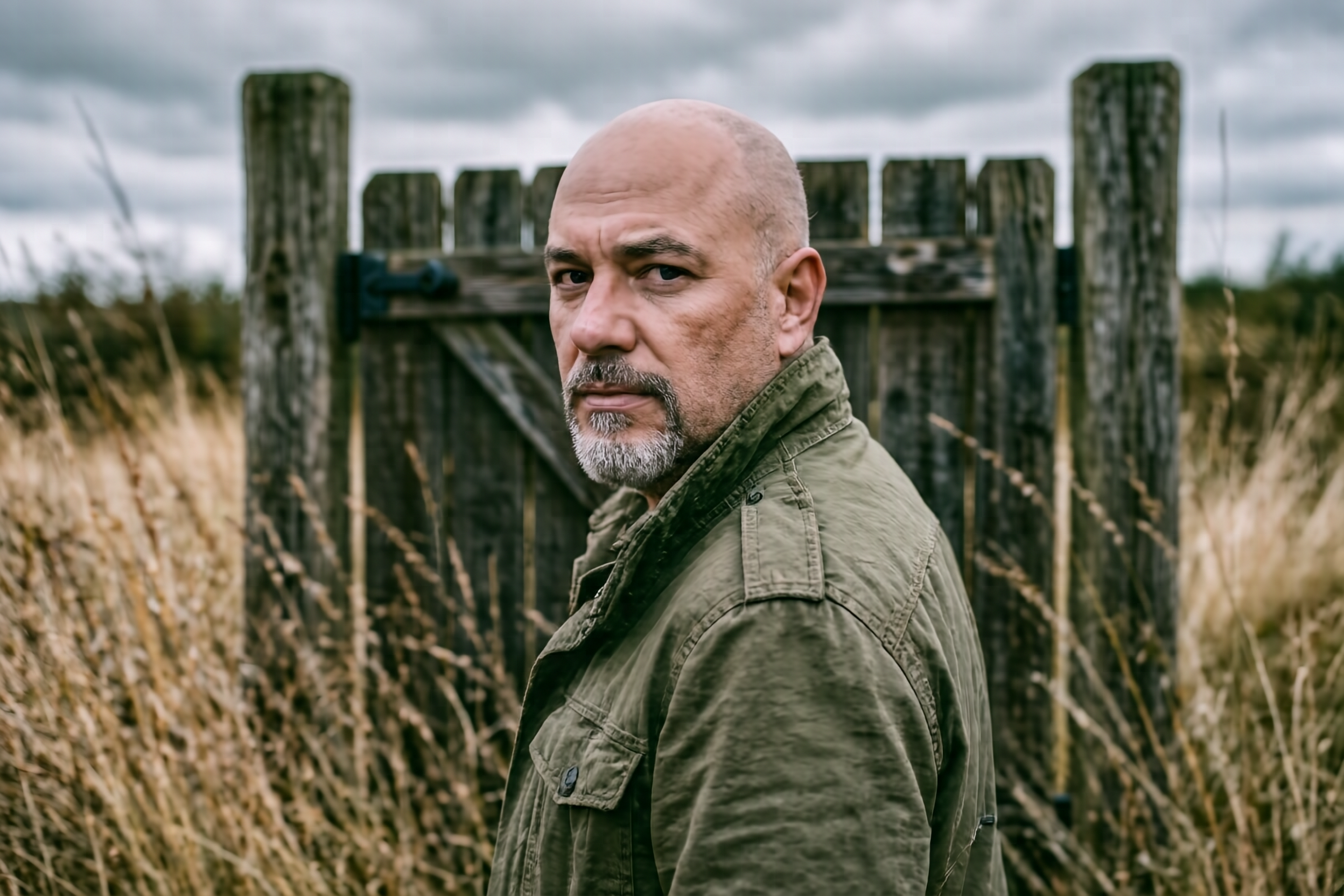
Rugged outdoor portrait with wooden gate

full aspect="3:2" size="M" seed=7777 shift=1.0 cfg=3.5

Input(s)
omar.png
omar.png
omar_face.png
omar_face.png
Prompt

A rugged, cinematic portrait of the man standing in tall, wind-swept dry grass, under a moody overcast sky. He has a strong jawline, his mature salt-and-pepper goatee neatly groomed, intense eyes, and his bald head bare to the wind. He wears an olive-green jacket, looking back over his shoulder with a serious, contemplative expression. Behind him stands an old, weathered wooden gate framed by two rustic posts. Shallow depth of field, warm earthy tones in the foreground, cool grey clouds in the background.

Output
06_ip.png
06_ip.png

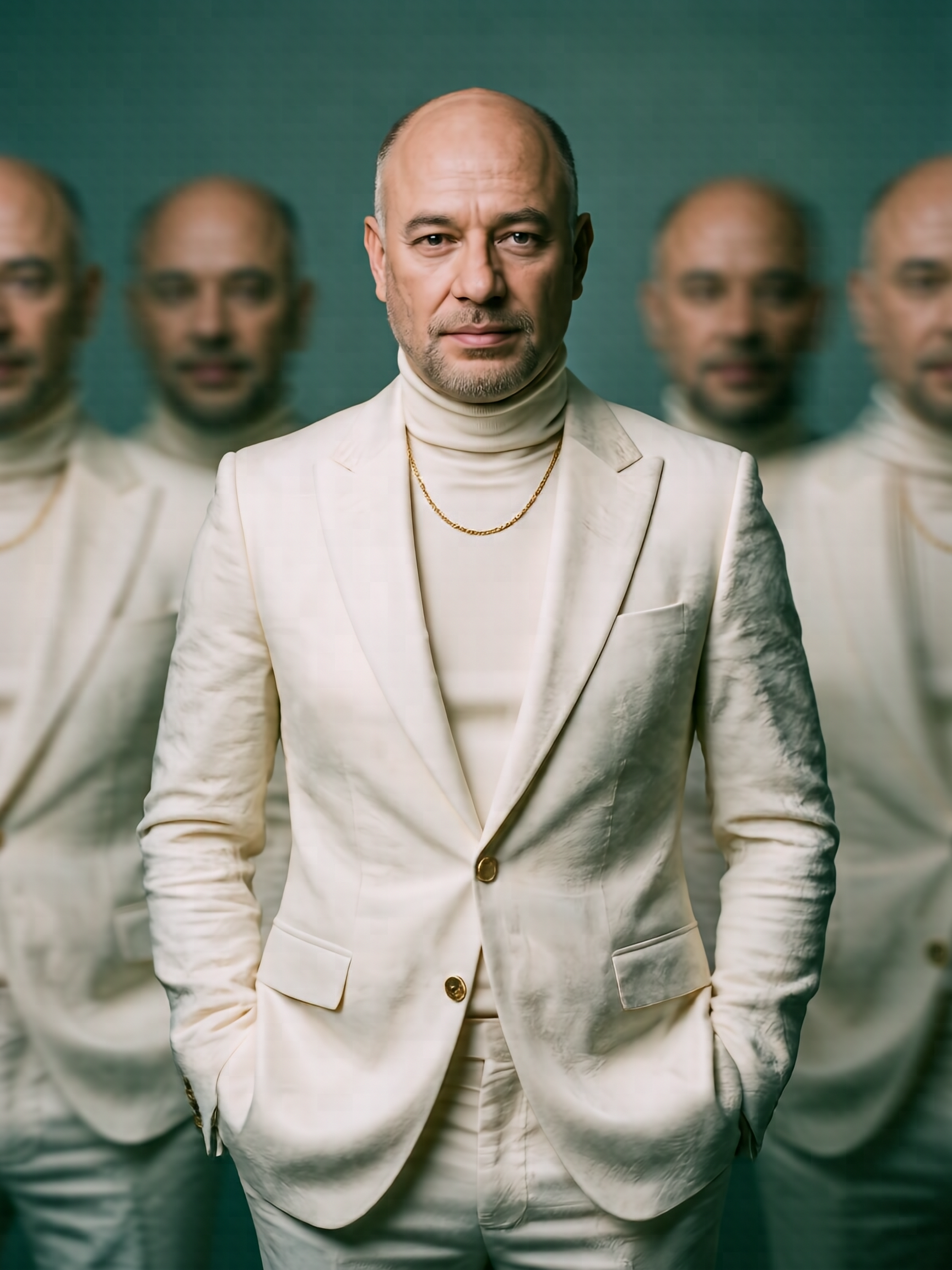
Fashion editorial with motion-blur surrealism

full aspect="3:4" size="M" seed=7777 shift=1.0 cfg=3.5

Input(s)
omar.png
omar.png
omar_face.png
omar_face.png
Prompt

A cinematic fashion portrait of the bald man standing centered against a muted teal studio background. He wears an elegant off-white tailored suit with a fitted turtleneck and a thin gold chain, hands casually in his pockets. His face shows refined maturity — subtle wrinkles, strong bone structure, and a composed, confident presence. His expression is intense yet calm, sharply in focus, while multiple blurred versions of himself move around him on both sides, creating a surreal motion-blur effect that suggests memory, introspection, or fragmented identity shaped by time. Soft, diffused lighting with subtle shadows enhances facial contours and scalp highlights. Shallow depth of field, fine film grain, editorial luxury fashion aesthetic, modern surrealism, high contrast, ultra-detailed, photorealistic, 85mm lens look, f/1.8, cinematic color grading, minimalist composition.

Output
07_ip.png
07_ip.png

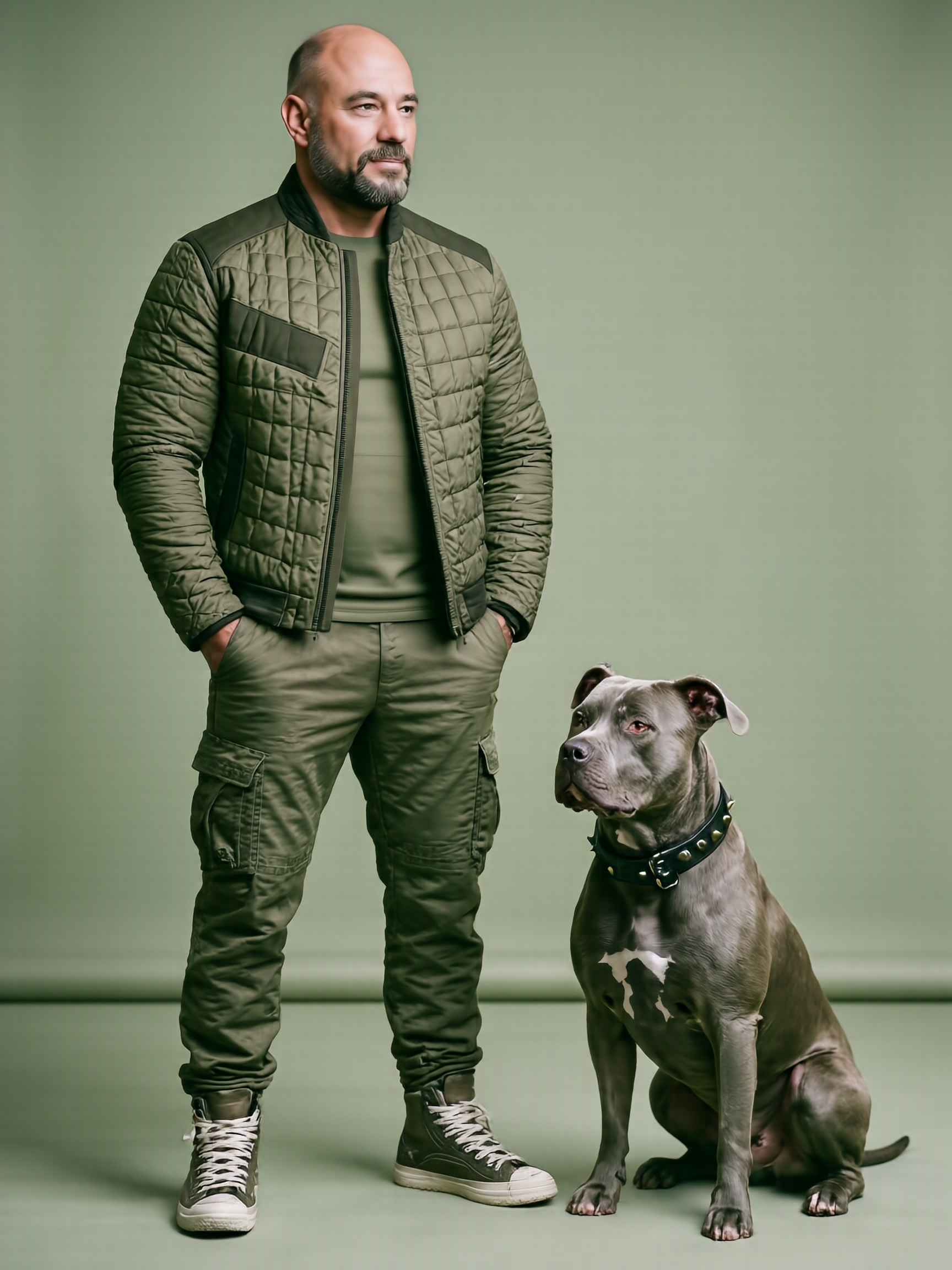
Full-body fashion portrait with a pitbull

full aspect="3:4" size="M" seed=7777 shift=1.0 cfg=3.5

Input(s)
omar.png
omar.png
omar_face.png
omar_face.png
Prompt

A full-body cinematic portrait of the bald man with a well-groomed mature beard standing confidently beside a muscular pitbull dog, both facing sideways. The man has a strong, weathered presence with a defined jawline and subtle signs of age that enhance his authority and composure. He wears a modern quilted olive-green jacket with asymmetrical padding, layered over a minimalist green outfit and loose tactical cargo pants, paired with rugged high-top sneakers. His hands rest casually in his pockets, expression calm, focused, and self-assured. The dog sits alert at his side, grey coat, cropped ears, wearing a black leather collar with metal studs, projecting strength, loyalty, and discipline. Clean studio background in monochromatic sage green, soft diffused lighting, fashion editorial style, ultra-detailed fabric textures, realistic mature skin tones, shallow depth of field, high-end cinematic color grading, 85mm lens look, ultra-realistic, 8K quality, sharp focus, modern military fashion aesthetic.

Output
08_ip.png
08_ip.png

Bbox-layout-conditioned

Bbox-layout conditioning constrains where named regions appear in the frame. The layout JSON uses [x1, x2, y1, y2] normalized coordinates (xxyy, not xyxy) and accepts either a raw JSON string or a JSON file path. The Full variant runs at 50 steps with CFG 5.0; we drop shift to 1.0 per the upstream README’s Mode 5 example.

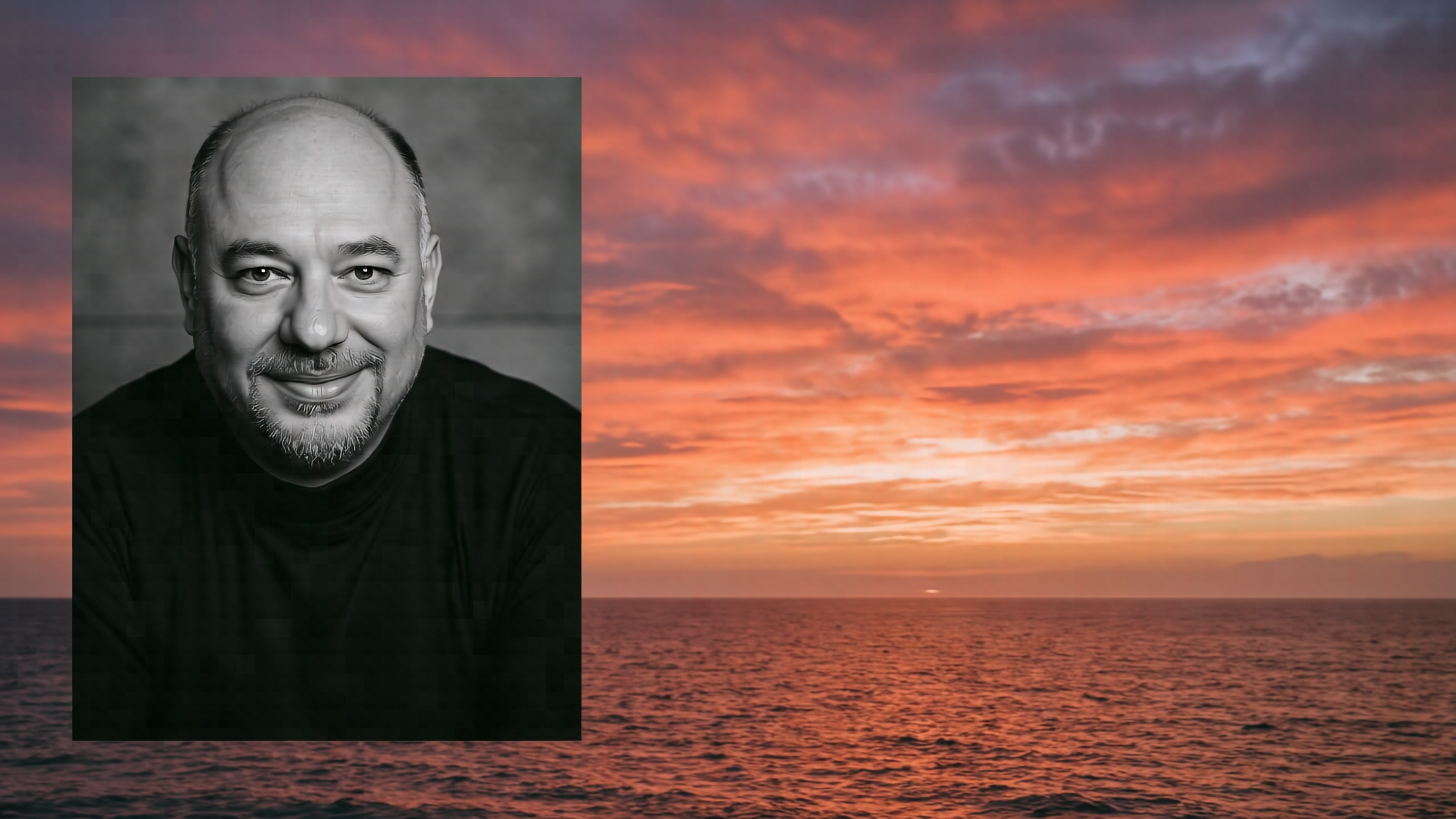
Anchor the subject to the left third

full layout=[[0.05, 0.4, 0.1, 0.9]] aspect="16:9" size="M" seed=7777

Input(s)
omar.png
omar.png
Prompt

A cinematic portrait of the person on the left third of the frame, with a dramatic sunset sky and ocean filling the right two thirds. The composition uses the layout bbox to anchor the subject on the left.

Output
04_layout.png
04_layout.png

Skeleton / openpose-conditioned

Skeleton / openpose-conditioned mode uses a pose-skeleton image (named with a .openpose.* suffix) to drive the body posture of the generated subject. Optional appearance references can be added alongside the pose image. An *.openpose.jpg file is typically pre-extracted by a separate preprocessor (e.g. controlnet-aux’s OpenposeDetector). We don’t showcase skeleton mode here — it’s functional but needs pose extraction outside the scope of this article.

No skeleton-mode example is rendered in this article. Provide a pre-extracted *.openpose.jpg file plus an optional appearance reference and the same CLI works.

Diagrams & Infographics

HiDream’s combination of long-text rendering plus multi-region layout makes it surprisingly useful for cloud architecture, software architecture, flowchart, and editorial-infographic generation — provided you respect its density ceiling.

The empirically-tuned recipe: use the Full variant (the Dev variant’s low-step / no-CFG recipe consistently hallucinates short technical labels). Cap diagram complexity at five to seven labeled main elements per render — beyond that, per-element typography degrades. Use --size M, not the largest size; smaller canvases make labels proportionally larger relative to the model’s working resolution. Always quote your exact label strings in the prompt: tile labeled ‘API Gateway’ is reliable; the gateway service gets paraphrased.

Each example below shows the rendered diagram, the prompt that produced it, and a candid note on what worked and what didn’t.

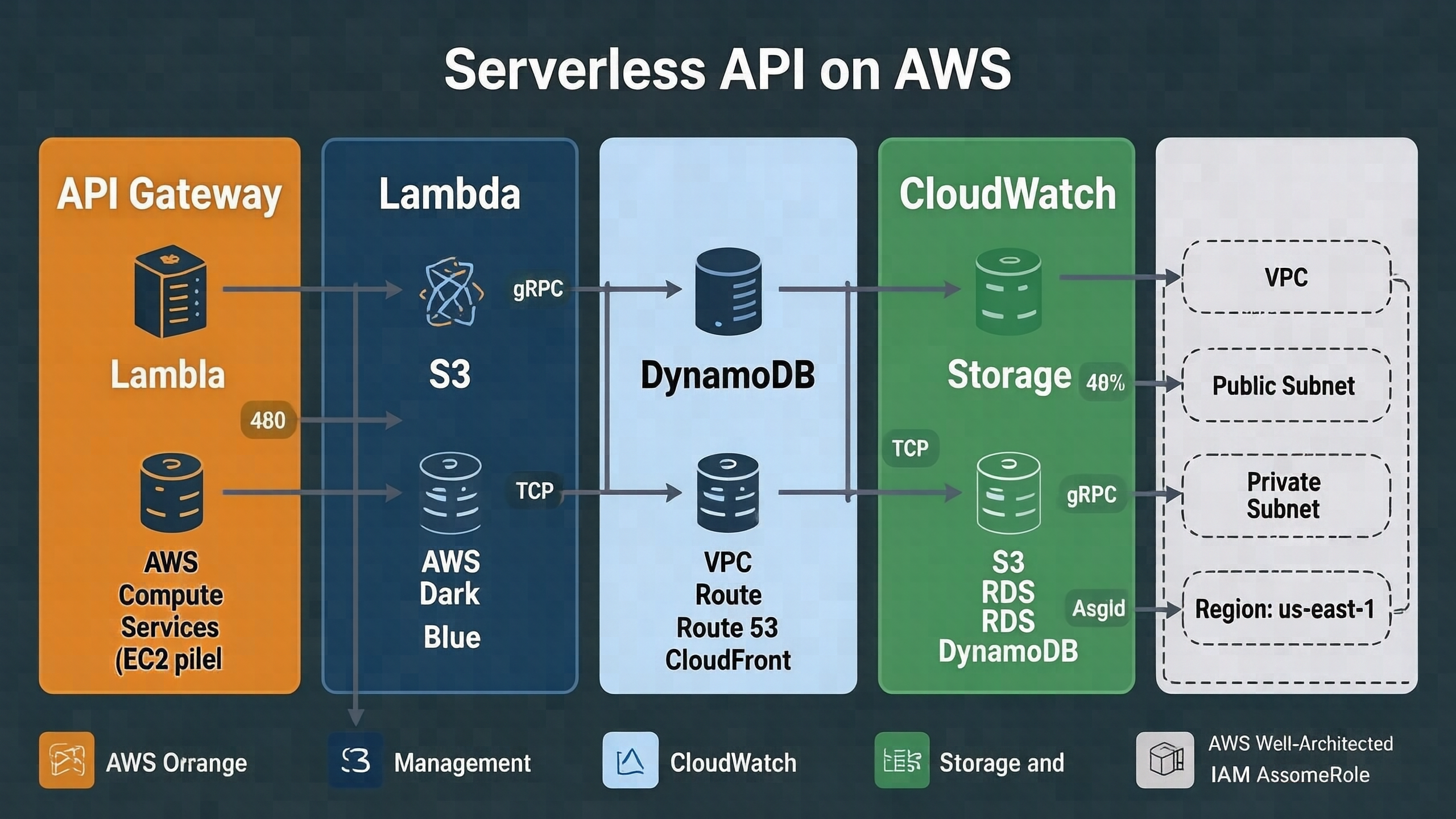
AWS — Serverless API

style="cloud-aws-arch" model="full" aspect="16:9" size="M" seed=42

aws_serverless_api
aws_serverless_api.png
Prompt

a serverless API on AWS — five large service tiles arranged left-to-right with thin arrows between them. Each tile is 480 pixels tall with a large bold sans-serif label on top occupying at least 40% of the tile height. The five tile labels in order are: 'API Gateway', 'Lambda', 'S3', 'DynamoDB', 'CloudWatch'. Below each label is the canonical AWS service icon and a one-line caption in smaller text. The diagram title at the top center reads 'Serverless API on AWS' in a large 72-point bold sans-serif font. No legend. Plenty of whitespace between tiles. Make every label crisply legible.

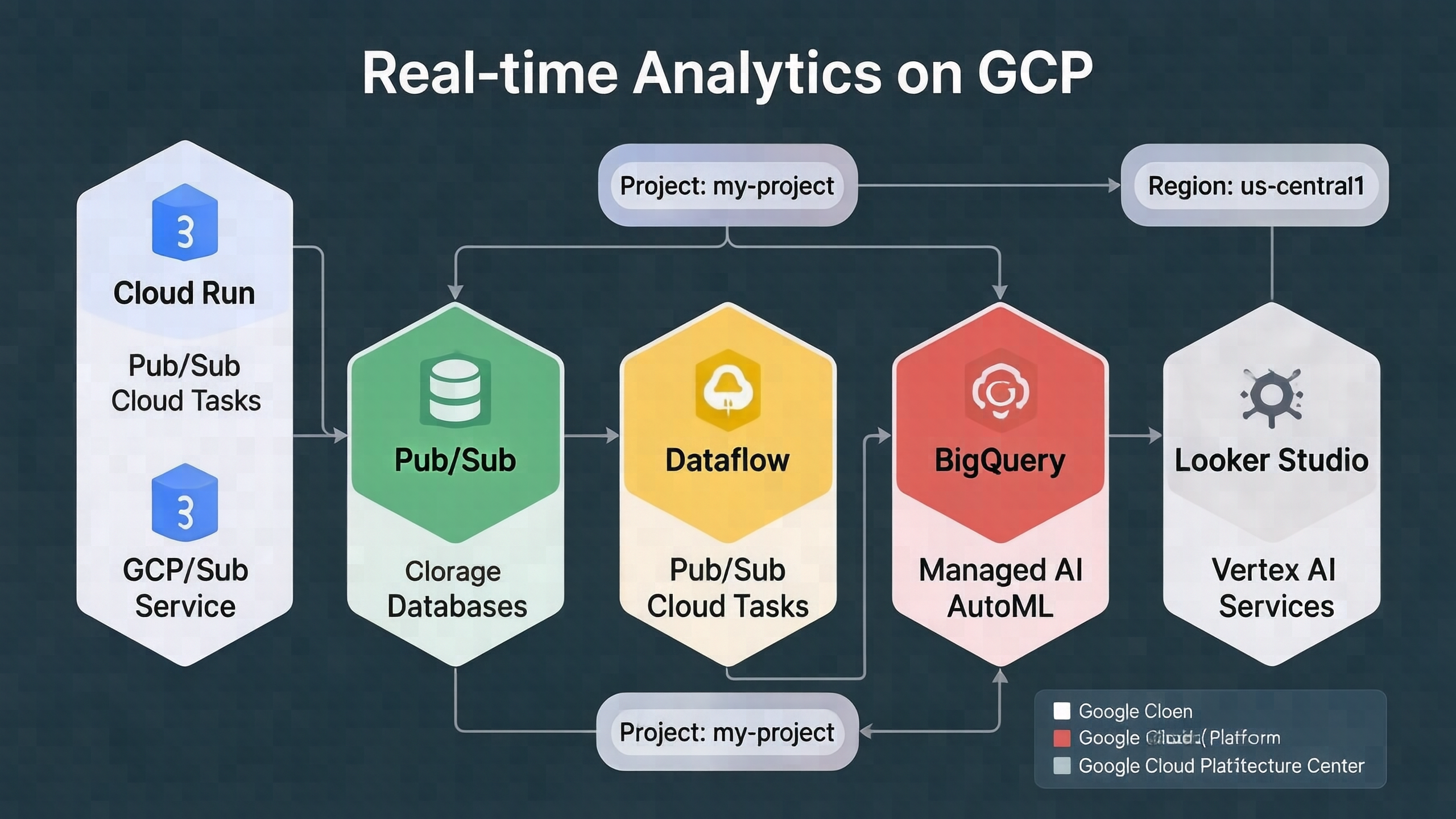
GCP — Real-time Analytics Pipeline

style="cloud-gcp-arch" model="full" aspect="16:9" size="M" seed=42

gcp_realtime_analytics
gcp_realtime_analytics.png
Prompt

a real-time analytics pipeline on Google Cloud. Render five large service tiles arranged left-to-right with thin labeled arrows between them. The five tile labels in order are: 'Cloud Run', 'Pub/Sub', 'Dataflow', 'BigQuery', 'Looker Studio'. Below each label is the canonical GCP service icon and a small one-line caption. The diagram title at the top center reads 'Real-time Analytics on GCP' in a large bold sans-serif font. Plenty of whitespace between tiles. Every label crisply legible.

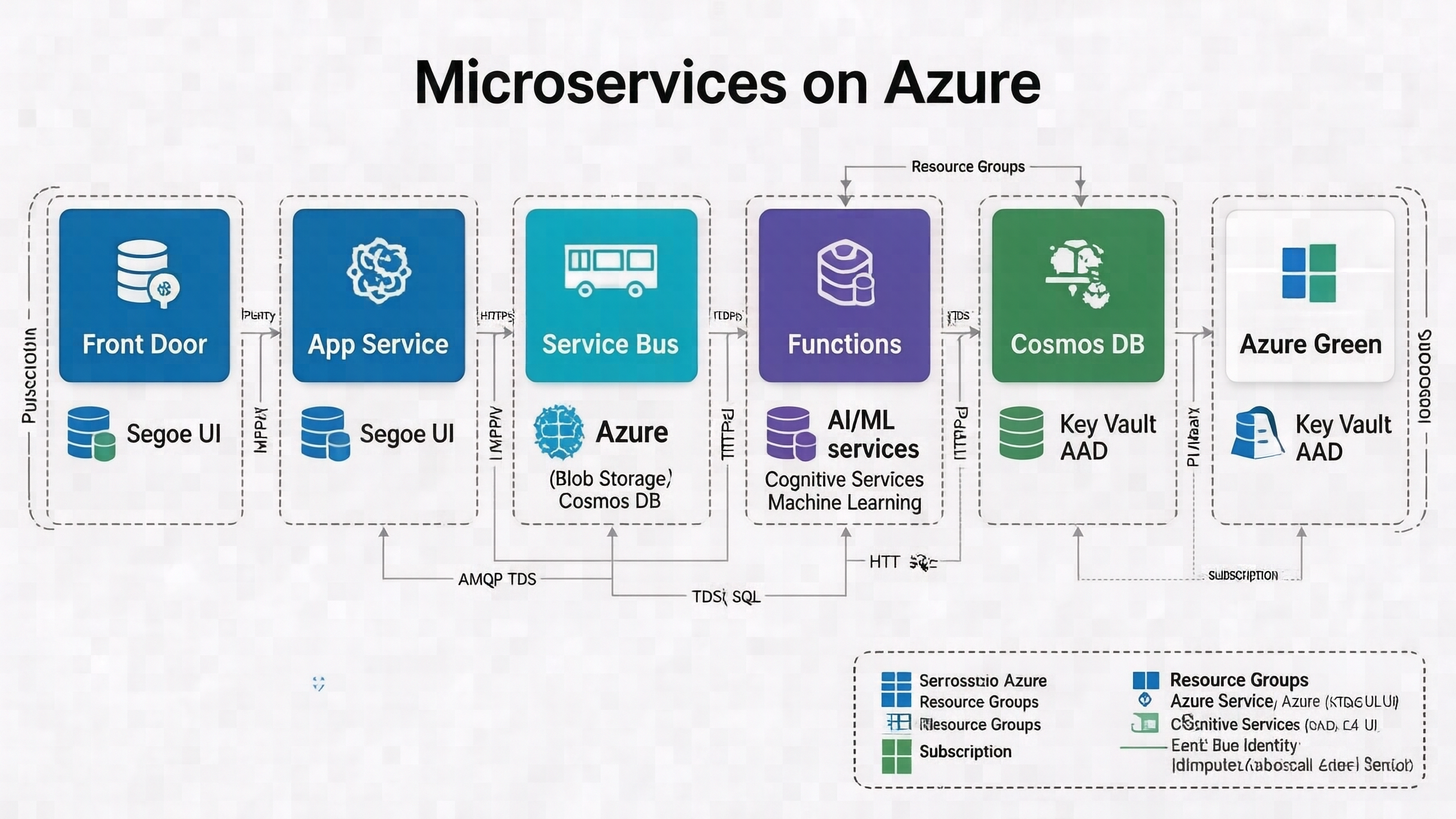
Azure — Microservices Architecture

style="cloud-azure-arch" model="full" aspect="16:9" size="M" seed=42

azure_microservices
azure_microservices.png
Prompt

a microservices architecture on Microsoft Azure. Render five large service tiles arranged left-to-right with thin labeled arrows between them. The five tile labels in order are: 'Front Door', 'App Service', 'Service Bus', 'Functions', 'Cosmos DB'. Below each label is the canonical Azure service icon and a small one-line caption. The diagram title at the top center reads 'Microservices on Azure' in a large bold sans-serif font. Plenty of whitespace between tiles. Every label crisply legible.

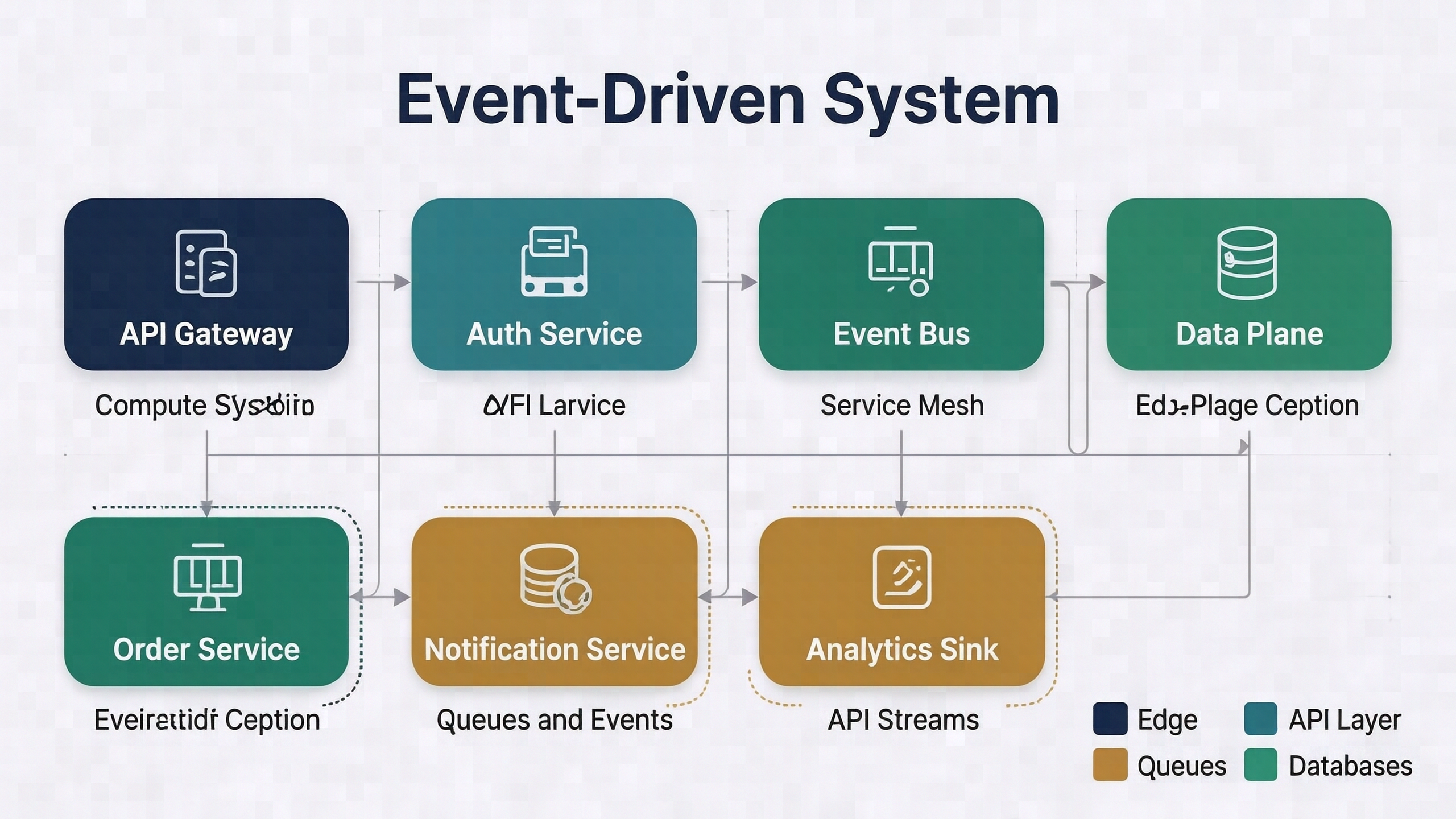
Vendor-agnostic event-driven system

style="cloud-generic-arch" model="full" aspect="16:9" size="M" seed=42

generic_event_driven
generic_event_driven.png
Prompt

a vendor-agnostic event-driven system. Render six large component tiles arranged in two rows with thin labeled arrows between them. The six tile labels are: 'API Gateway', 'Auth Service', 'Event Bus', 'Order Service', 'Notification Service', 'Analytics Sink'. Below each label is a small one-line tech-stack caption. The diagram title at the top center reads 'Event-Driven System' in a large bold sans-serif font. Plenty of whitespace between tiles. Every label crisply legible.

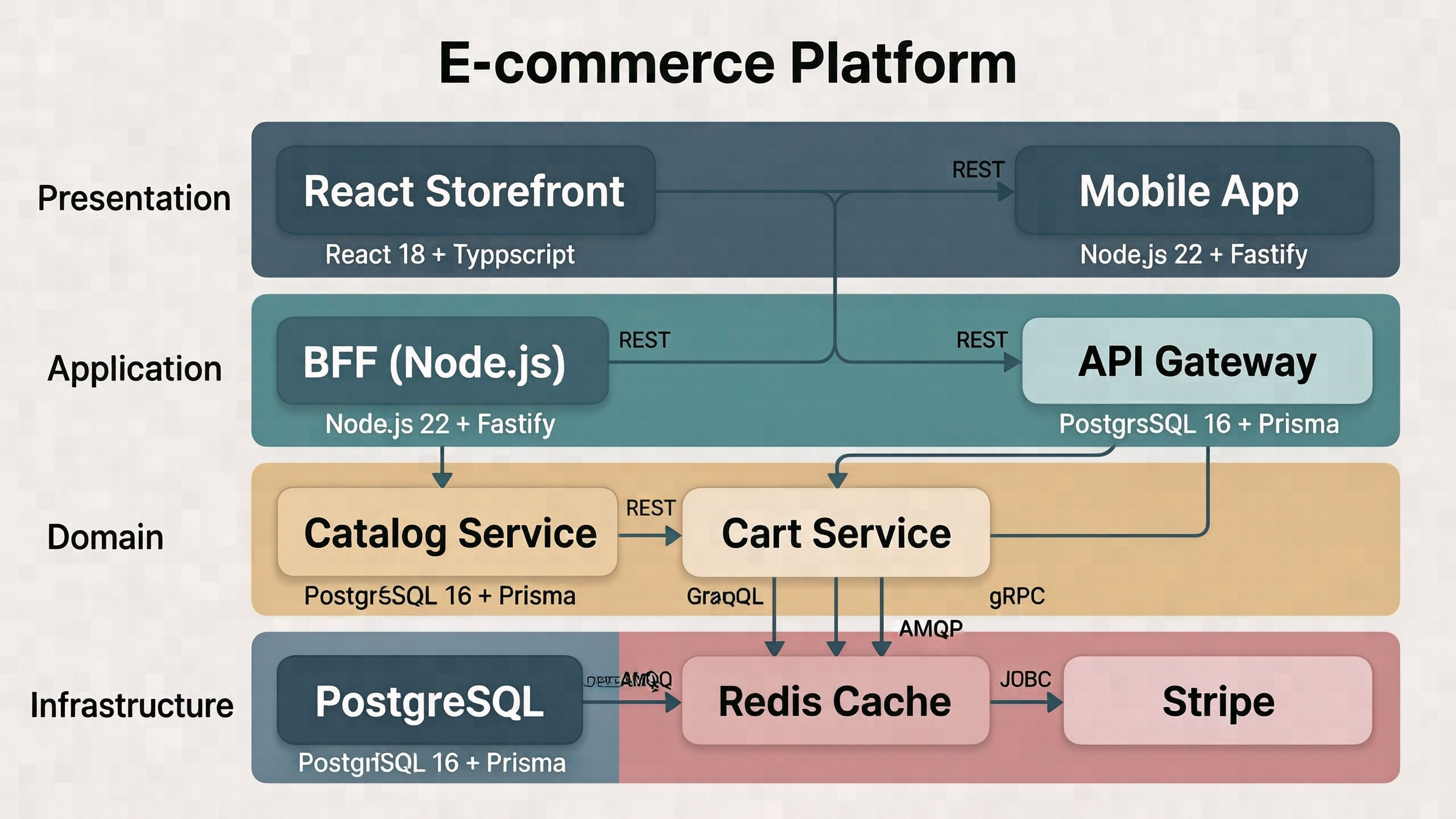
Layered software architecture — e-commerce platform

style="software-arch" model="full" aspect="16:9" size="M" seed=42

software_ecommerce
software_ecommerce.png
Prompt

a modern web application architecture with four horizontal layers stacked top to bottom. The four layer labels on the left edge are: 'Presentation', 'Application', 'Domain', 'Infrastructure'. Inside each layer place 2 to 3 component rectangles with large bold sans-serif labels. The components are: in Presentation 'React Storefront' and 'Mobile App'; in Application 'BFF (Node.js)' and 'API Gateway'; in Domain 'Catalog Service', 'Cart Service', and 'Order Service'; in Infrastructure 'PostgreSQL', 'Redis Cache', and 'Stripe'. The diagram title at the top center reads 'E-commerce Platform' in a large bold sans-serif font. Every label crisply legible.

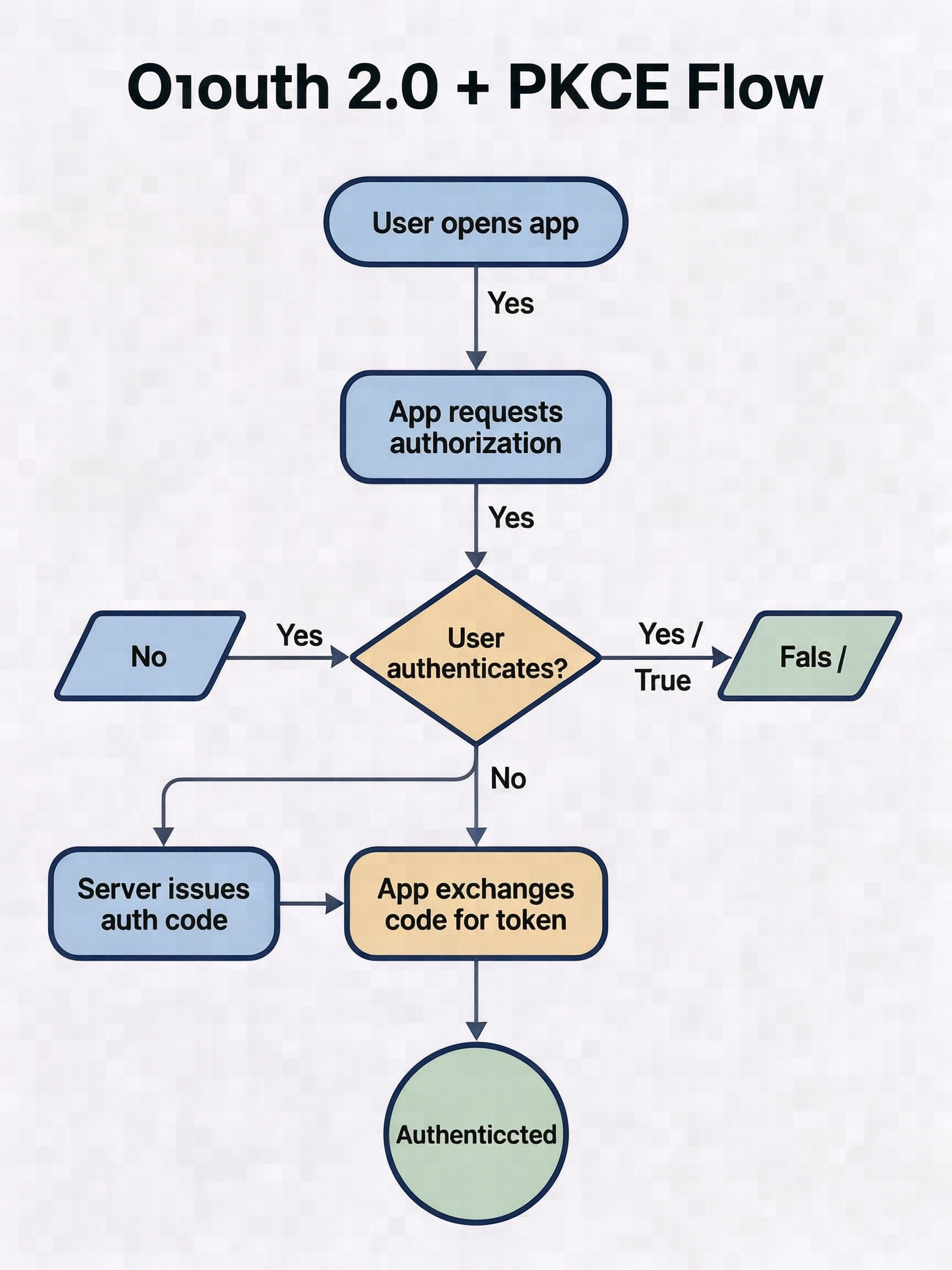
Flowchart — OAuth 2.0 + PKCE

style="flowchart" model="full" aspect="3:4" size="M" seed=42

flowchart_oauth
flowchart_oauth.png
Prompt

an OAuth 2.0 authorization code flow with PKCE. Render six flowchart shapes connected top to bottom with arrows: a rounded-rectangle 'User opens app', a rounded-rectangle 'App requests authorization', a diamond decision 'User authenticates?' with branches 'Yes' to the right and 'No' to the left, a rounded-rectangle 'Server issues auth code', a rounded-rectangle 'App exchanges code for token', and a circle 'Authenticated'. Use standard flowchart shape grammar. The diagram title at the top center reads 'OAuth 2.0 + PKCE Flow' in a large bold sans-serif font. Every label crisply legible.

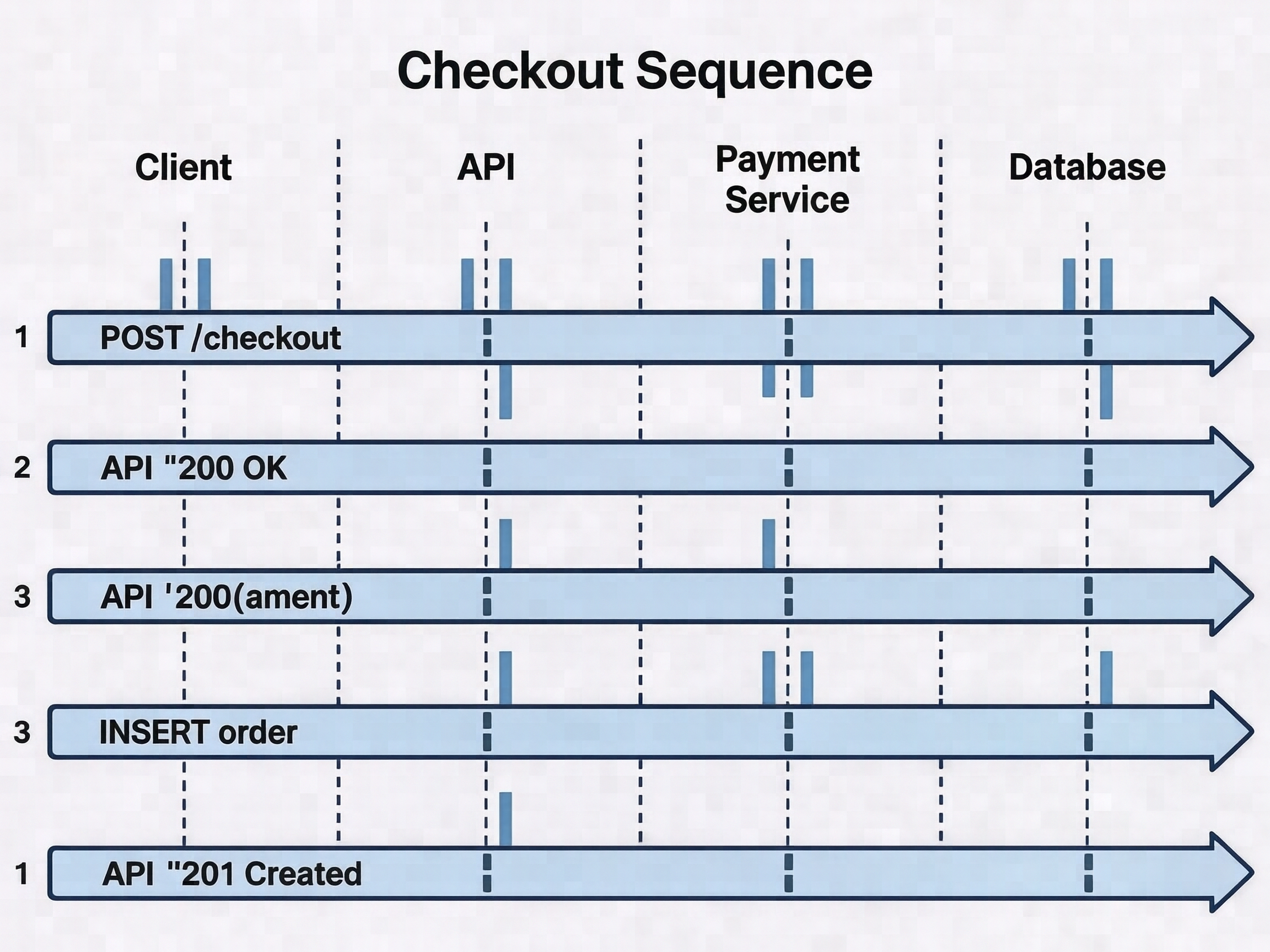
UML sequence diagram — checkout flow

style="sequence-diagram" model="full" aspect="4:3" size="M" seed=42

sequence_checkout
sequence_checkout.png
Prompt

a UML sequence diagram for a checkout flow. Render four vertical lifeline boxes at the top labeled 'Client', 'API', 'Payment Service', 'Database', evenly spaced with dashed vertical lines descending beneath each. Show five solid horizontal arrows labeled with method names: from Client to API 'POST /checkout', from API to Payment Service 'charge(amount)', from Payment Service back to API '200 OK', from API to Database 'INSERT order', from API back to Client '201 Created'. The diagram title at the top center reads 'Checkout Sequence' in a large bold sans-serif font. Every method label crisply legible.

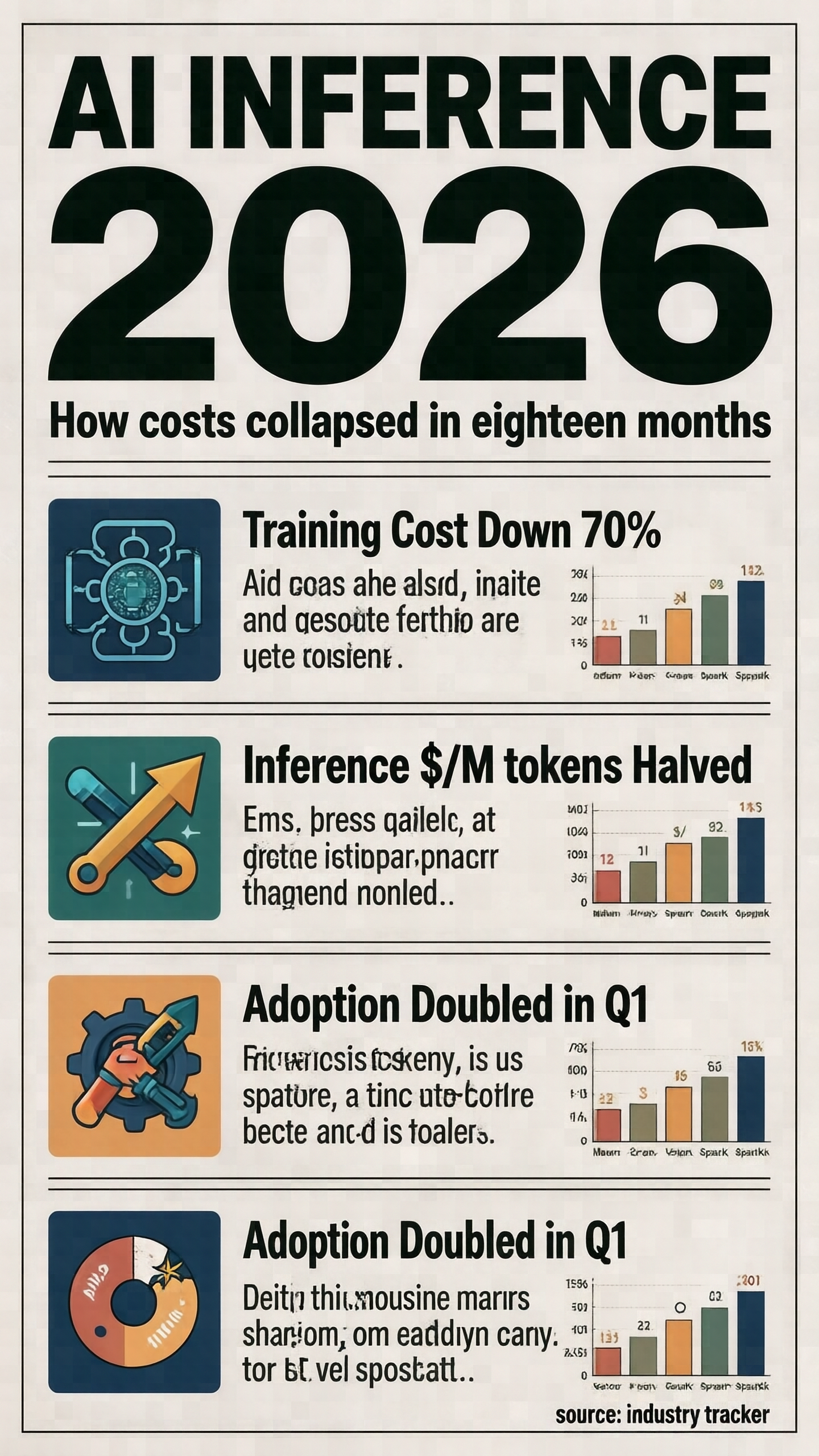
Editorial infographic — AI inference cost 2026

style="infographic-poster" model="full" aspect="9:16" size="M" seed=42

infographic_ai_cost
infographic_ai_cost.png
Prompt

a magazine infographic about AI inference cost in 2026. At the top, a giant hero headline reads 'AI INFERENCE 2026' in a large bold display sans-serif font, with a smaller subhead 'How costs collapsed in eighteen months' directly below. Three content sections stacked vertically beneath, each with a small icon on the left and a short two-line caption on the right. Section labels: 'Training Cost Down 70%', 'Inference $/M tokens Halved', 'Adoption Doubled in Q1'. At the bottom right a small source line reads 'source: industry tracker'. Generous whitespace, magazine grid. Every label crisply legible.

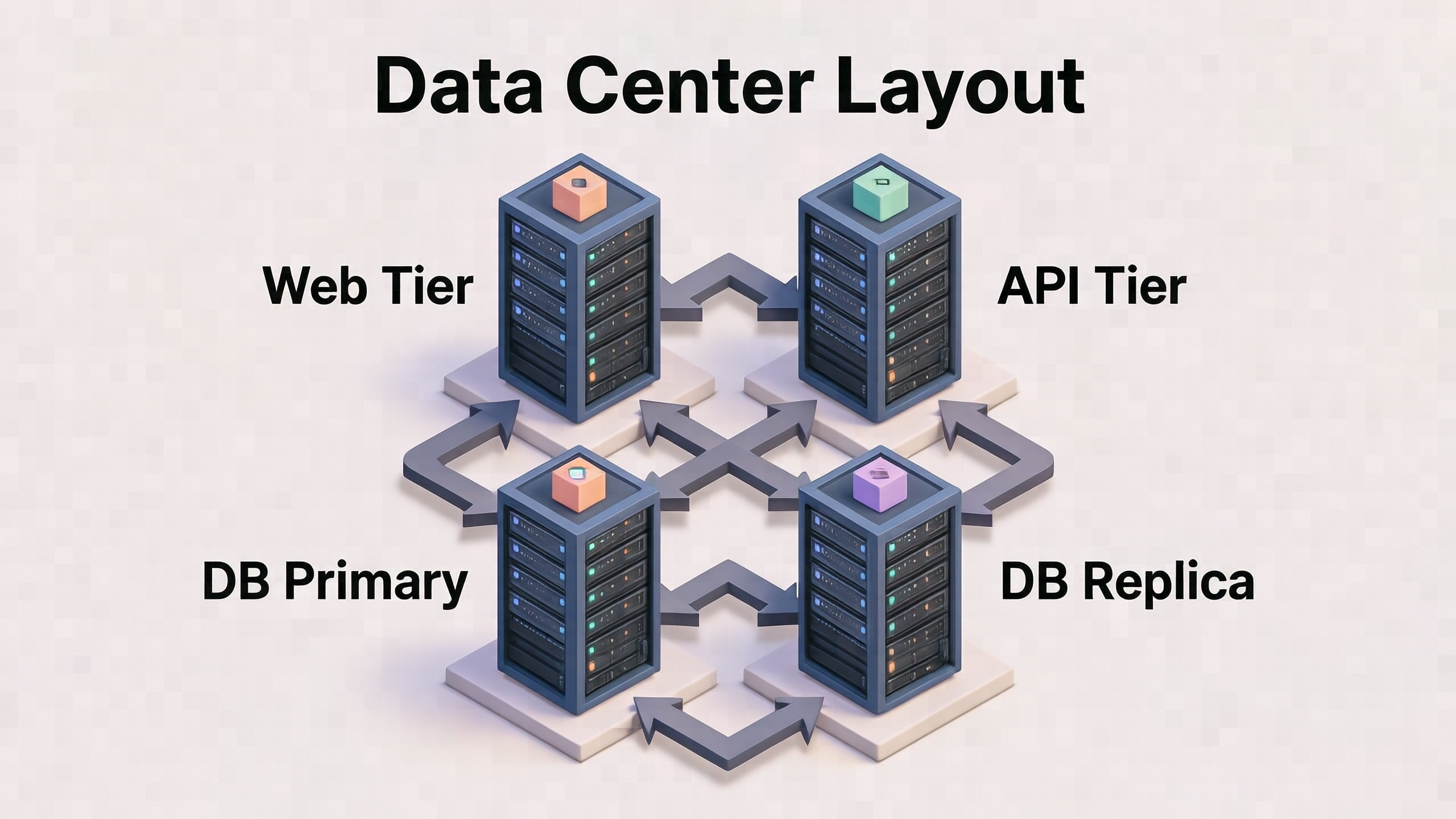
Isometric 3D — data center layout

style="isometric-diagram" model="full" aspect="16:9" size="M" seed=42

isometric_datacenter
isometric_datacenter.png
Prompt

an isometric 3D-style server-room data center diagram. Render four isometric server-rack blocks arranged in a 2-by-2 grid on a light platform. Each rack has a large sans-serif label floating beside it. The four rack labels are: 'Web Tier', 'API Tier', 'DB Primary', 'DB Replica'. Connect the racks with stepped isometric arrows in a darker grey. The diagram title at the top center reads 'Data Center Layout' in a large bold sans-serif font. Every label crisply legible.

Credits & Links